The Startpage
Every site has one startpage — its home page, the first thing visitors see at new.salon.io/your-name/your-site. It plays a special role, which is why it behaves a little differently from your other pages.
What makes it special
- It's where your site opens. The startpage is the front door — your site's address leads straight to it.
- Your logo links to it. Clicking the site title or logo anywhere on your site always returns here.
- It's always published. Unlike other pages, the startpage can't be unpublished on its own — if your site is live, the startpage is live. (The site as a whole can still be unpublished in settings.)
- It's not shown in the navigation menu. Since the logo already links to it, the startpage is kept out of your nav so it isn't listed twice.
- Its address is fixed. The startpage slug can't be changed.
Why you can't delete it
A site must always have a home for visitors to land on, so the startpage can't be deleted — there's no Delete button on it, and a site must always keep at least one page.
Changing which page is the startpage
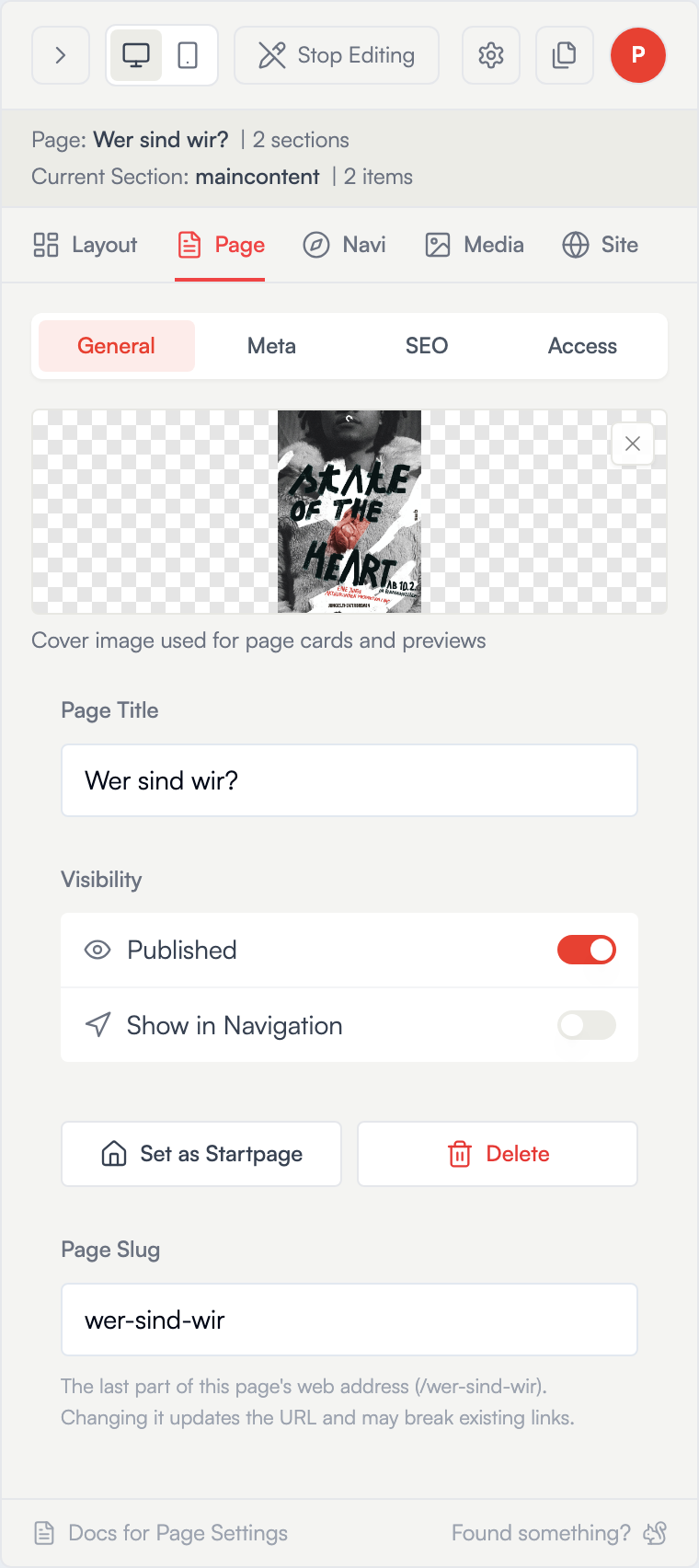
You're not stuck with your first page as the home page. To promote a different page, open it in the Page panel and choose Set as Startpage — that page becomes the new front door, and the old startpage turns back into a normal page you can edit, reorder, or delete like any other. Only published pages can be set as the startpage.
Your startpage's preview image
Because the startpage represents your whole site, its Social Preview Image does double duty: it's also your site's poster — the image shown for your site on your dashboard.